Path: Reports > Accounts > Unclaimed Cargo
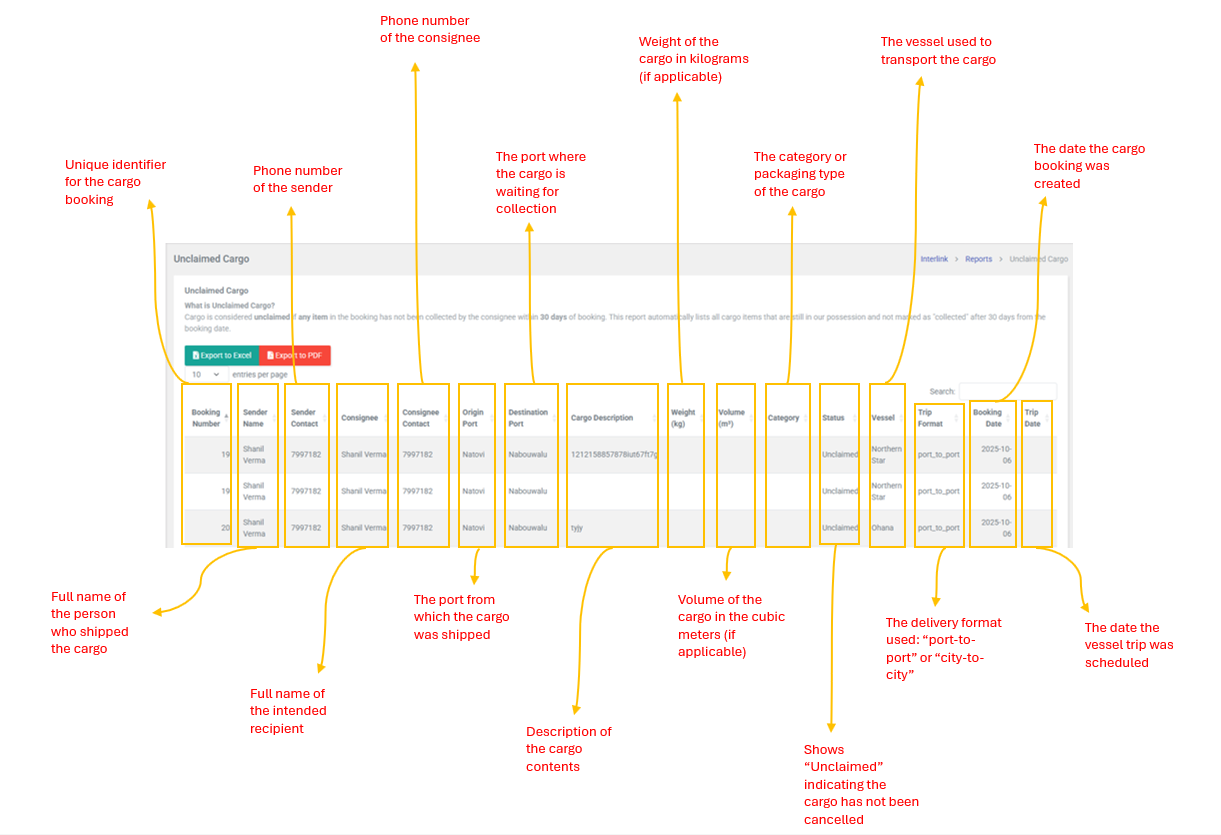
Cargo is considered unclaimed if any item in the booking has not been collected by the consignee within 30 days of booking. This reports automatically lists all cargo items that are still in possession and not marked as "collected" after 30 days from the booking date. it helps operations teams identify shipments that require follow-up or disposal action.
Table Column
| Column | Description |
| Booking Number | Unique identifier for the cargo booking (e.g., 19) |
| Sender Name | Full name of the person who shipped the cargo |
| Sender Contact | Phone number of the sender |
| Consignee | Full name of the intended recipient |
| Consignee contact | Phone number of the consignee |
| Origin Port | The port from which the cargo was shipped |
| Destination Port | The port where the cargo is waiting for collection |
| Cargo Description | Description of the cargo contents |
| Weight (kg) | Weight of the cargo in kilograms (if applicable) |
| Volume (m3) | Volume of the cargo in the cubic meters (if applicable) |
| Category | The category or packaging type of the cargo |
| Status | Shows "Unclaimed" indicating the cargo has not been collected |
| Vessel | The vessel used to transport the cargo |
| Trip Format | The delivery format used: port-to-port or city-to-city |
| Booking Date | The date the cargo booking was created |
| Trip Date | The date the vessel trip was scheduled |
| Note: This is a read-only report. There are no create, edit, or delete actions. The system automatically populates this table based on cargo items that remain uncollected after 30 days. Standard data table features (search, sort, pagination) are available. |