Path: Advance > Refunds & Cancellations
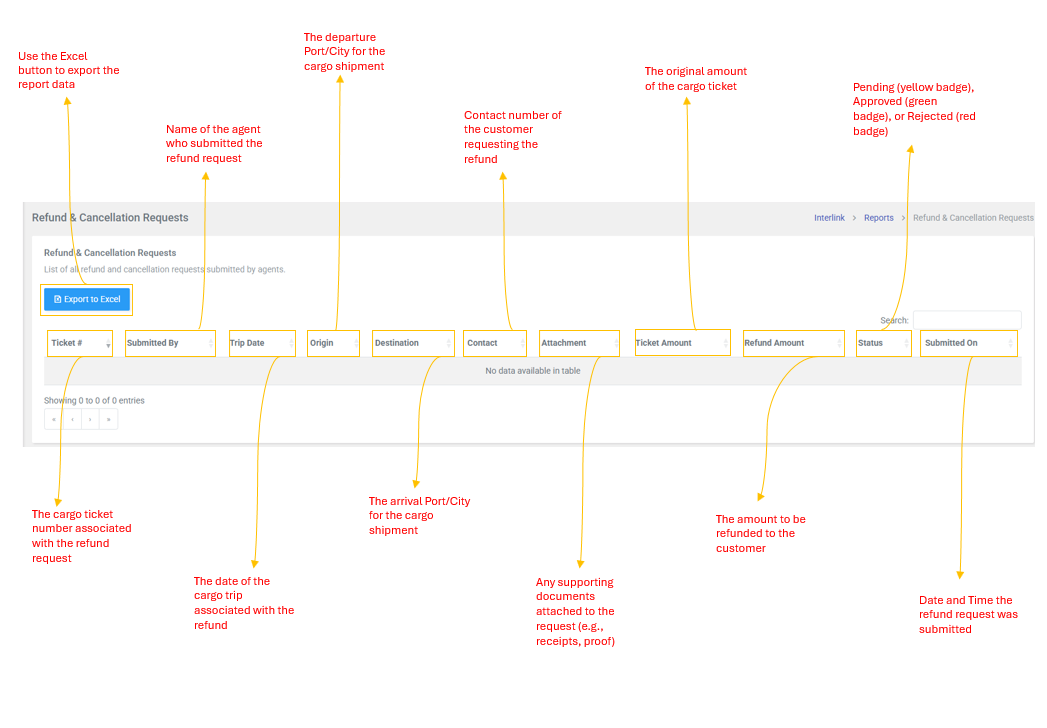
This page manages all refund and cancellation requests for cargo shipments. It lists all requests submitted by agents for review by administrators.
Table Columns
| Column | Description |
| Ticket # | The cargo ticket number associated with the refund request |
| Submitted By | Name of the agent who submitted the refund request |
| Trip Date | The date of the cargo trip associated with the refund |
| Origin | The departure port/city for the cargo shipment |
| Destination | The arrival port/city for the cargo shipment |
| Contact | Contact number of the customer requesting the refund |
| Attachment | Any supporting documents attached to the request (e.g., receipts, proof) |
| Ticket Amount | The original amount of the cargo ticket |
| Refund Amount | The amount to be refunded to the customer |
| Status | Current Status of the request: Pending (yellow badge), Approved (green badge) , or Rejected (red badge) |
| Submitted On | Date and time the refund request was submitted |
Edit Refund Amount Modal
The system includes an Edit Refund Amount modal that allows authorized users to update the refund amount for a request:
- Click the edit action for a request (this opens a modal titled "Edit Refund Amount")
- Enter the updated Refund Amount (decimal value, e.g., 150.00)
- Click Update to save the new refund amount
| Note: Refund requests are submitted through the cargo booking workflow. This page is primarily for viewing and managing existing refund requests. The Actions column availability may depend on user permissions and the current status of the request. |