Path: Advanced > Own Deposit
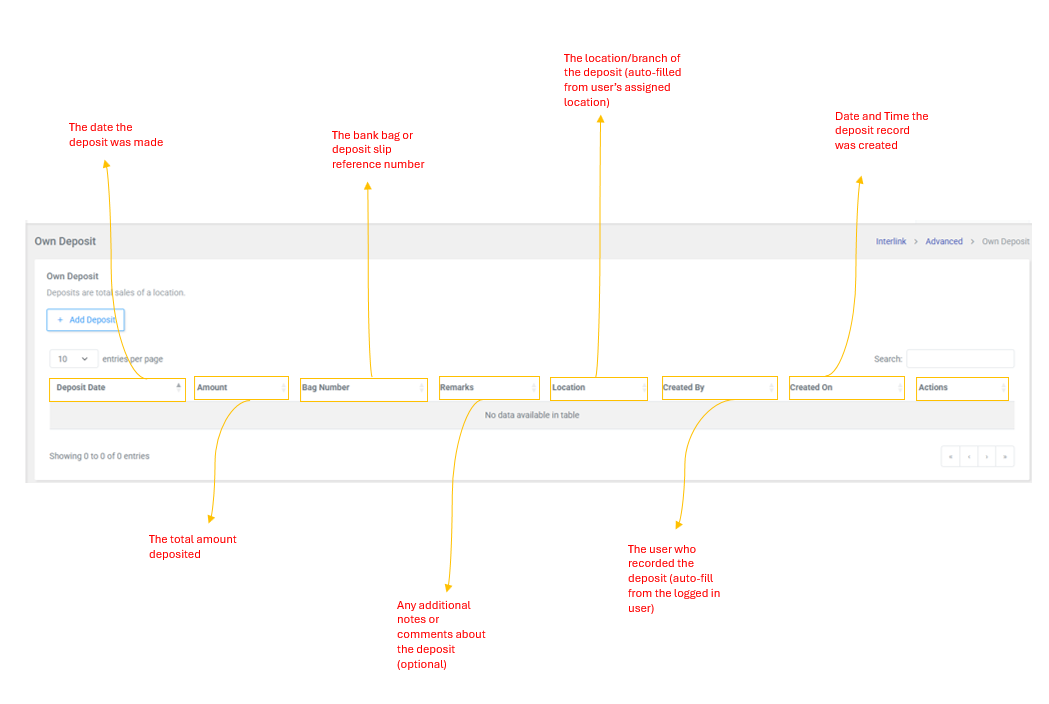
Deposits represent the total sales of a location. this page allows users to record their own location's daily deposits. The location and created by fields are automatically filled based on the logged-in user.
Table Columns
| Column | Description |
| Deposit Date | The date the deposit was made |
| Amount | The total amount deposited |
| Bag Number | The bank bag or deposit slip reference number |
| Remarks | Any additional notes or comments about the deposit (optional) |
| Location | The location/branch of the deposit (auto-filled from user's assigned location) |
| Created By | The user who recorded the deposit (auto-filled from logged-in user) |
| Created On | Date and Time the deposit record was created |
| Actions | Available actions for the deposit record (functionality may vary based on permissions) |
How to Add a Deposit
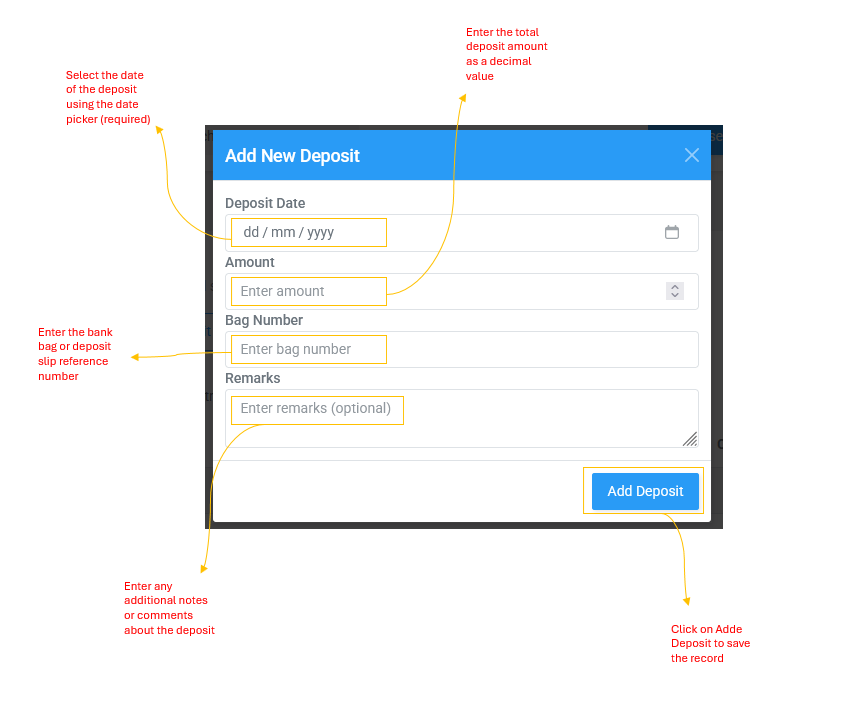
Click the + Add Deposit button to open the "Add New Deposit" modal (blue header). Fill in the following fields:
| Field | Description |
| Deposit Date | Select the date of the deposit using the date picker (required) |
| Amount | Enter the total deposit amount as a decimal value, e.g., 1794.00 (required) |
| Bag Number | Enter the bank bag or deposit slip reference number, e.g., s1006473 (required) |
| Remarks | Enter any additional notes or comments about the deposit (optional) |
| Created By | Auto-filled from the logged-in user (hidden field, cannot be changed) |
| Created On | Date and Time the deposit record was created |
| Location | Auto-filled from the logged-in user's assigned location, e.g., Lautoka (hidden field, cannot be changed) |
Click Add Deposit to save the record. The deposit will appear in both the Own Deposit table and the Agent Deposit page.