Path: Administration > Cities
The cities section contains two cub-pages for managing city records and defining origin-destination pairs.
List of Cities
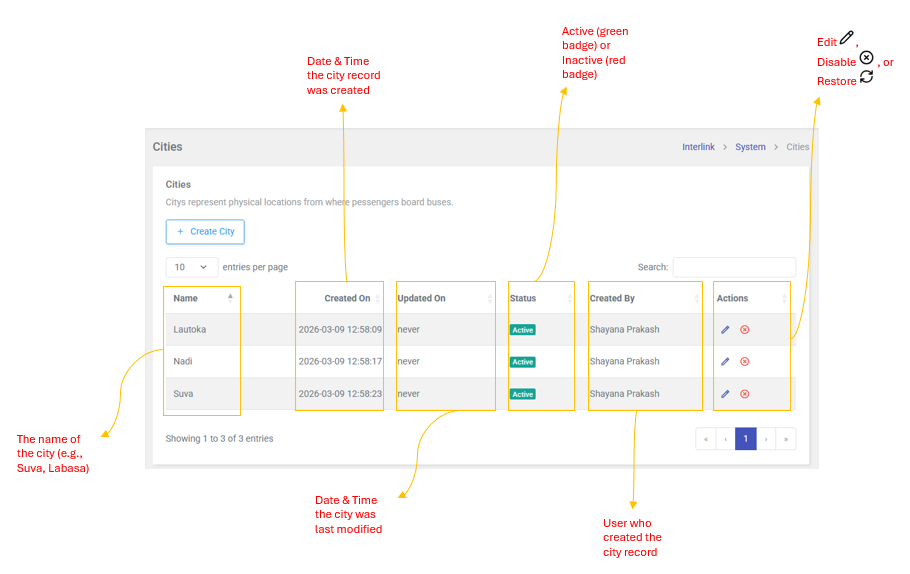
Cities Represent physical locations from where passengers board buses for connecting transport. Examples: Suva, Labasa, Savusavu, Nadi, Lautoka, Dreketi, Seaqaqa.
Table Columns
| Column | Description |
| Name | The name of the city (e.g., Suva, Labasa, Savusavu) |
| Created On | Date and Time the city record was created |
| Updated On | Date and Time the City was last modified |
| Status | Active (green badge) or Inactive (red badge) |
| Created By | User who created the city record |
| Actions | Edit  , Disable , Disable  , or Restore , or Restore  |
Actions
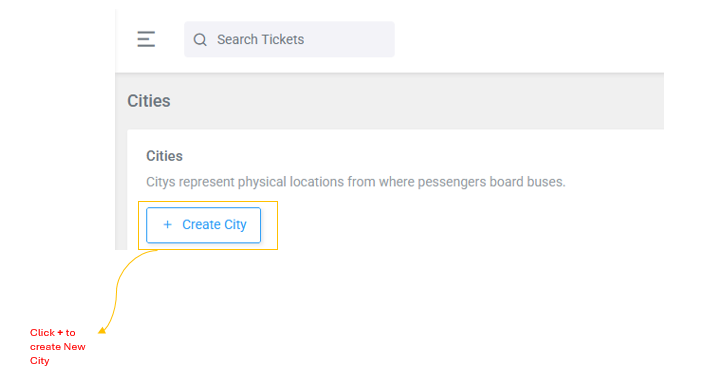
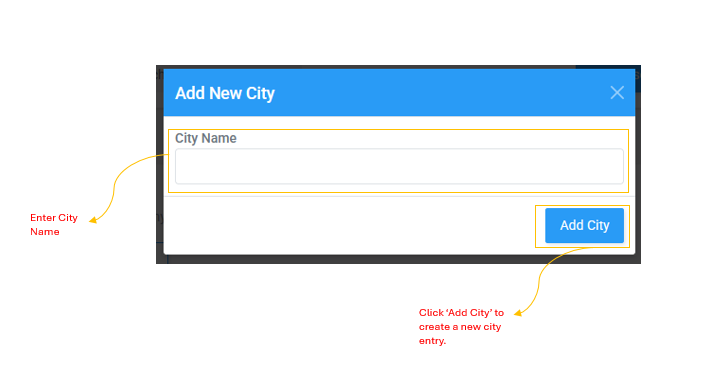
- Create city: + (blue modal) --enter City Name
- Update City: (yellow modal) --update City Name
- Delete City: (red modal) --confirm to delete
- Restore City: (green modal) -- confirm to restore
Cities Combination
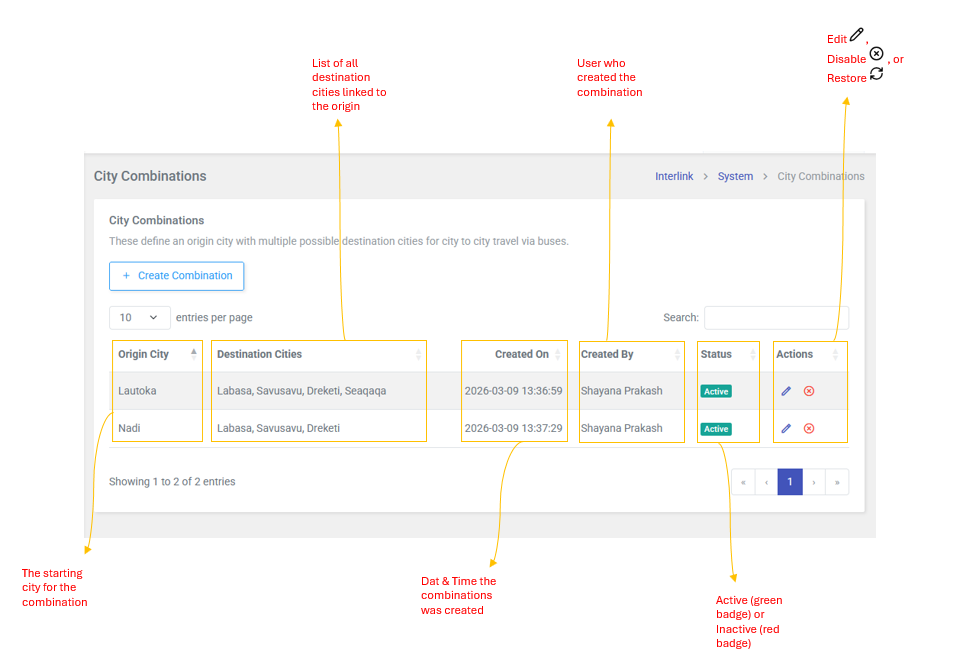
These define an origin city with multiple possible destination cities for city-to-city travel via buses. For example: Suva can connect to Labasa, Savusavu, Seaqaqa, Dreketi, and Nabouwalu.
Table Columns
| Column | Description |
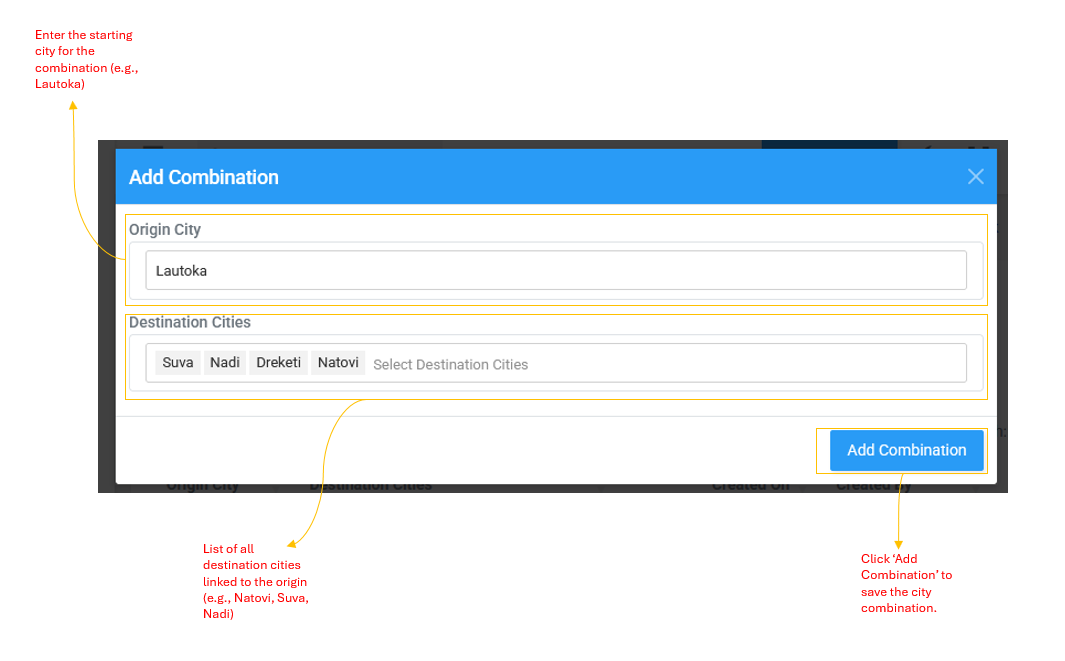
| Origin City | The Starting city for the combination (e.g., Suva, Labasa) |
| Destination Cities | List of all destination cities linked to the origin (e.g., Labasa, Savusavu, Seaqaqa, Dreketi) |
| Created On | Date and Time the combination was created |
| Created By | User who created the combination |
| Status | Active (green badge) or Inactive (red badge) |
| Actions | Edit , Disable , or Restore |
Actions
- Created Combination: + (blue modal) --select Origin City and multiple Destination Cities
- Update: (yellow modal) --modify the combination
- Delete: (red modal) --confirm to delete
- Restore: (green modal) --confirm to restore