Path: Reports > Accounts > Cargo Collection
This is a real-time cargo collection report that tracks all cargo shipments and their collection status. it features a prominent blue filter bar at to narrow down results.
Filter Bar
The Cargo Collection page has a blue-colored filter section at the top with the following controls:
| Filter | Description |
| Vessel | Dropdown to filter by vessel (All Vessels, Northern Star, Ohana, Spirit of Harmony, Northern Sar Night, UP-Mrng, UP-Night, Blue Phoenix) |
| Trip Format | Dropdown to filter by delivery format (All Formats, Port to Port, City to City) |
| Origin Port | Dropdown to filter by origin port (All Ports, Natovi, Nabouwalu, Rotuma, Vanuabalavu, Suva, Lomaiviti, Taveuni, Savusavu, Kadavu) |
| Destination Port | Dropdown to filter by destination port (same port options as above) |
| Date | Date picker to filter results by a specific date |
| Clear Filters | Purple button that resets all filters to their default values |
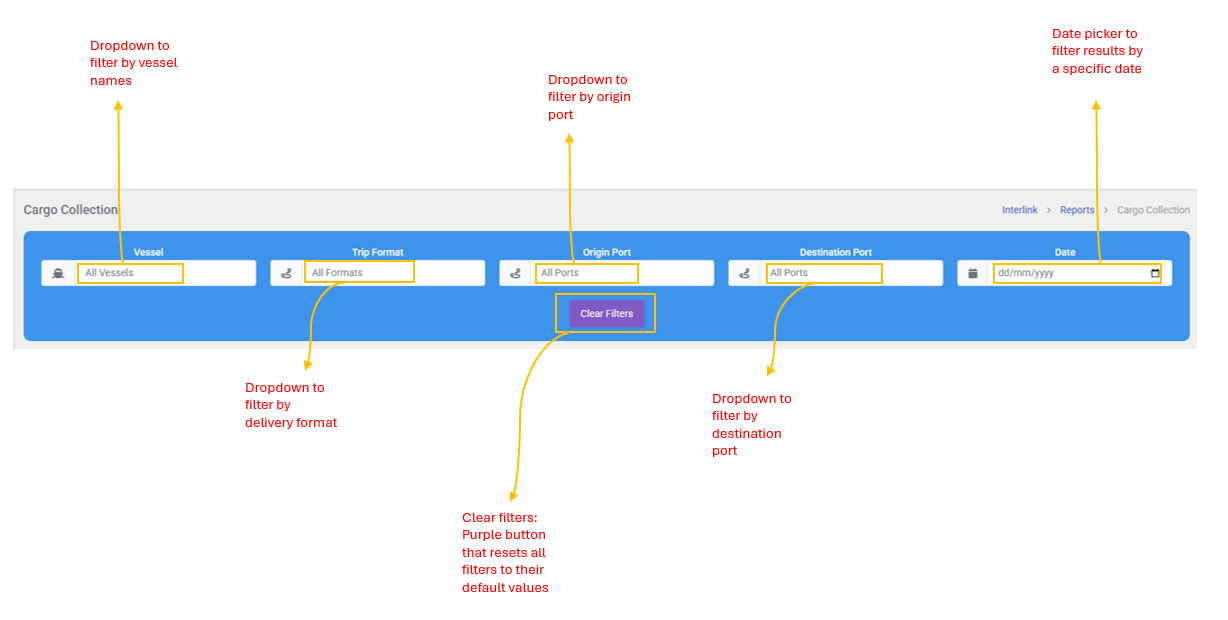
Table Columns
| Column | Description |
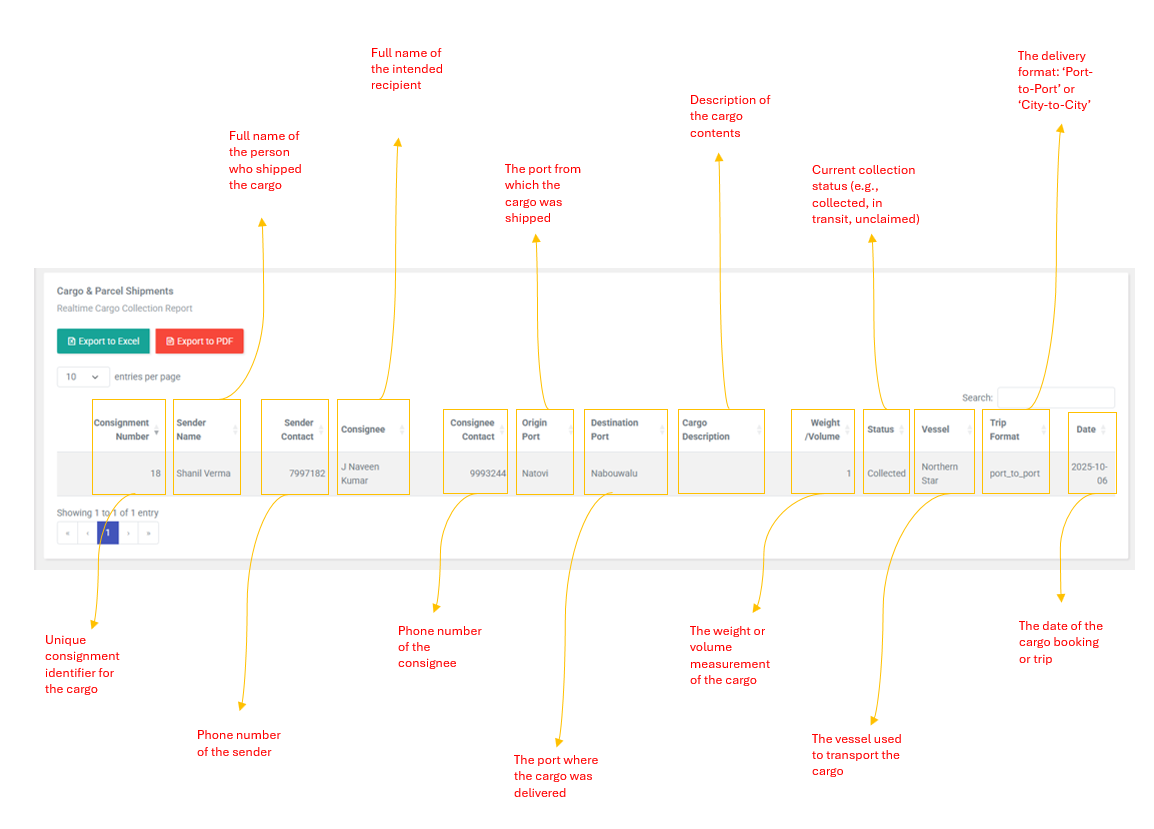
| Consignment Number | Unique consignment identifier for the cargo (e.g., 18) |
| Sender Name | Full name of the person who shipped the cargo |
| Sender Contact | Phone number of the sender |
| Consignee | Full name of the intended recipient |
| Consignee Contact | Phone number of the consignee |
| Origin Port | The port from which the cargo was shipped |
| Destination Port | The port where the cargo was delivered |
| Cargo Description | Description of the cargo contents |
| Weight / Volume | The weight or volume measurement of the cargo |
| Status | Current Collection status (e.g, Collected, In Transit, Unclaimed) |
| Vessel | The vessel used to transport the cargo |
| Trip Format | The delivery format: Port-to-port or city-to-city |
| Date | The date of the cargo booking or trip |
| Note: This is a read-only report. There are no create, edit or delete actions. the system automatically tracks cargo collection status . Use the filter bar and table search to find specific shipments. |