Path: Advanced > Agent Deposits
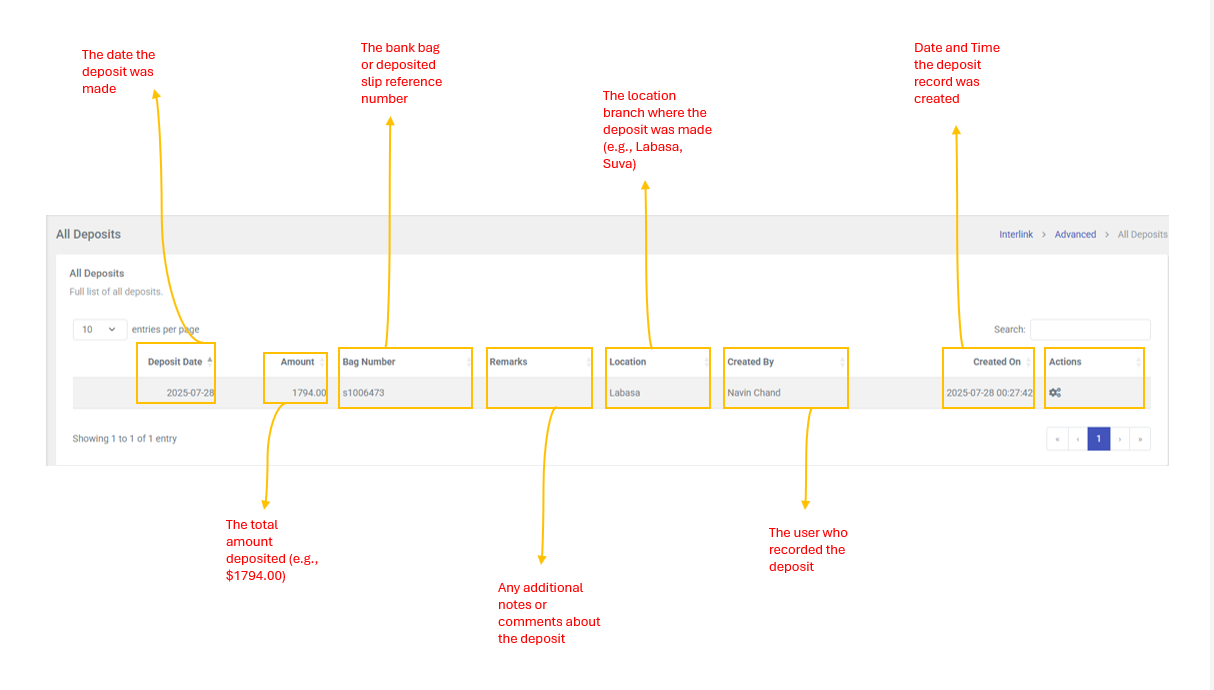
This page provides a full list of all deposits made across all agents and locations. it is a read-only view that allows administrators and managers to monitor deposit activity across the organization.
Table Columns
| Column | Description |
| Deposit Date | The date the deposit was made |
| Amount | The total amount deposited (e.g., 1794.00) |
| Bag Number | The bank bag or deposited slip reference number (e.g., s1006473) |
| Remarks | Any additional notes or comments about the deposit |
| Location | The location/branch where the deposit was made (e.g., Labasa, Suva) |
| Created By | The user who recorded the deposit |
| Created On | Date and time the deposit record was created |
| Actions | Displays a gear icon (cog) indicating future action. Currently shows "Actions coming soon" when hovered. |
| Note: This is a read-only overview page for administrators and mangers. There are no create, edit, or delete actions available on this page. Deposits are recorded through the Own Deposit page by individual agents at their assigned locations. The Actions column is reserved for future functionality. |